Expense tracking made simple for Canadian self-employed
Track expenses, scan receipts with AI, and export CRA-ready reports. Stop dreading tax season.
How it works
Three simple steps to tax-ready records
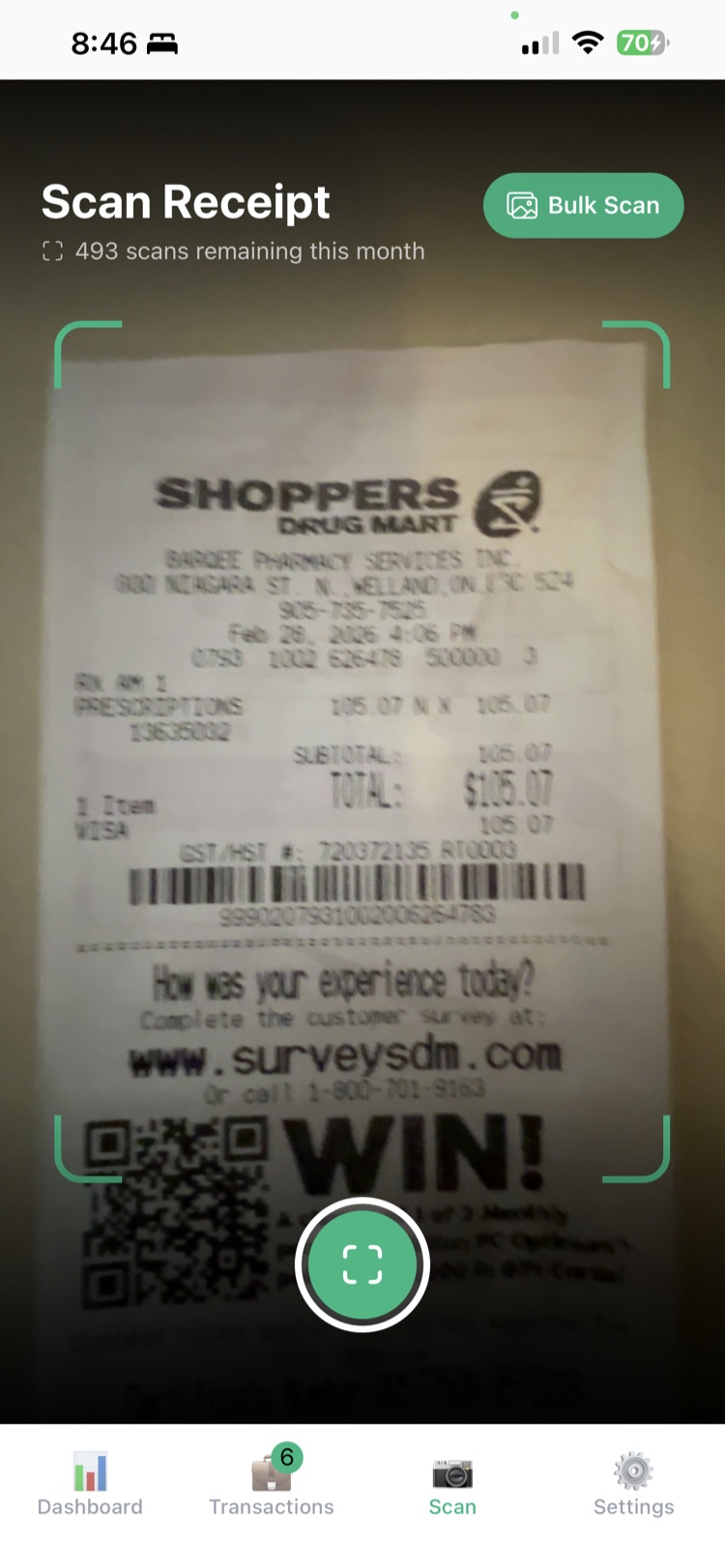
Snap
Take a photo of any receipt. Our AI reads it instantly.
Categorize
AI assigns the right CRA T2125 category automatically.
Export
Download a CRA-ready spreadsheet for your accountant.
Everything you need to stay organized
AI Receipt Scanning
Snap a photo of any receipt. Our AI extracts the merchant, amount, date, and category automatically.
CRA Categories
Expenses are categorized using official T2125 categories. No more guessing at tax time.
Income Tracking
Track invoices and payments alongside expenses for a complete picture of your business.
Tax Deductions
Track RRSP, FHSA contributions, donations, and other deductions.
Real-time Dashboard
See your income, expenses, and deductions at a glance. Know where you stand financially.
Multi-Currency Support
Track expenses in USD, EUR, GBP, and more. Automatically converts to CAD using Bank of Canada rates.
Export to Excel
Generate CRA-ready spreadsheets with one tap. Share with your accountant instantly.
Mileage Tracking
Log business trips and automatically calculate your deduction using CRA per-kilometre rates. No gas receipts needed.
Built specifically for Canadians
- ✓ T2125 expense categories for self-employment income
- ✓ HST/GST/PST tracking by province
- ✓ RRSP & FHSA contribution tracking
- ✓ Multi-currency with Bank of Canada exchange rates
- ✓ CRA mileage rates for vehicle expense deductions
- ✓ Data stored securely in Canadian data centers
Simple, transparent pricing
Start free. Upgrade when you need more scans.
Free
Track everything, all year
- ✓ Expense, income & deduction tracking
- ✓ Mileage logging with odometer photos
- ✓ CRA T2125 categories & deadline reminders
- ✓ GST/HST tracked on every entry
Pro
Everything your accountant needs at tax time
- ✓ Excel tax package export
- ✓ Accountant share link
- ✓ GST/HST summary & vehicle (Chart A) worksheets
- ✓ Home-office (business-use-of-home) worksheet
Scan Packs
Need more AI scans?
- ✓ Credits never expire
- ✓ Available on Free and Pro
- ✓ Perfect for bulk-scanning receipt piles
Frequently asked questions
What is Form T2125?
Form T2125 is the CRA form for reporting self-employment business income and expenses. It's part of your T1 personal tax return. Loonie Logs organizes your expenses into the exact categories required by T2125.
Do I need to register for HST/GST?
If your business earns more than $30,000 in a calendar year, you must register for and collect HST/GST. Loonie Logs tracks your income so you'll know when you're approaching this threshold.
What expenses can I deduct as self-employed?
You can deduct reasonable business expenses like office supplies, software subscriptions, vehicle expenses, home office costs, professional fees, advertising, and more. The key is that expenses must be directly related to earning business income.
How do I claim home office expenses?
You can use the CRA's simplified method ($2/day up to $500/year) or the detailed method where you calculate your home office as a percentage of your total home. The detailed method requires tracking utilities, rent/mortgage interest, property taxes, and more.
What's the CRA mileage rate for 2026?
The CRA sets per-kilometre rates annually for calculating vehicle expenses. You can claim the rate for business-related driving. Keep a log of your business trips with dates, destinations, and distances.
How long should I keep my receipts?
The CRA requires you to keep business records for 6 years from the end of the tax year they relate to. Loonie Logs stores your receipt images securely, so you'll always have digital copies available.
Is my data secure?
Yes. Your data is encrypted in transit and at rest. We use industry-standard security practices and store data in Canadian data centers. You can export or delete your data at any time.
Can I share my data with my accountant?
You can export your data as an Excel spreadsheet organized by T2125 categories, making it easy to share with your accountant. Pro users can also generate a secure read-only share link that their accountant can open in any browser — no app required.
Built by a Canadian, for Canadians
I'm Jorge, a software contractor in Ontario. For years my receipts were scattered across Dropbox and Google Drive, and every tax season meant digging through folders to add everything up — then hoping I could actually find a receipt again if the CRA ever asked to see one. Loonie Logs is the app I built to fix that: scan a receipt when it happens, it lands in the right CRA category, and the totals are ready when it's time to file.
It's not a generic American expense tracker with Canadian labels taped on, and it's not bloated accounting software. It's the tool I use for my own T2125 — HST, mileage, home office and all — kept simple on purpose. If it saves you one afternoon of receipt archaeology or one round trip with your accountant, it's done its job.
Download Loonie Logs
Available on iOS and Android
Free to download. Premium features available.